

| USB Image.NET |
USB Image is a tool designed for Microsoft Windows Pre-installation Environment (WINPE v4.0+ recommended) and other PE environments as a front end GUI and Automation tool. It’s an easy to use program designed primarily for IT Technicians use for imaging and backup of PCs either manually or automated for regular backup or deployment of PCs.
Current Versions
32bit: 2.0.5445.17249
Last Updated: 11/27/201464bit: 2.0.5445.17207
Last Updated: 11/27/2014
Some of the main features of USB Image.NET are:
-
- USB Image.NET boots with WINPE. It can be setup to boot from USB Hard Drive.
Please see this link for Microsoft Windows ADK (WINPE) Download.
-
- Installing Windows (Vista, 7, 8 and 2008 server+) directly from USB Image.NET
- Microsoft WIM (Free) PC/Hard Drive file based Imaging.
- Manual or Auto Backup multiple times to the one USB disk as required without overwriting old copies.
- Symantec Ghost (License Required) PC/Hard Drive sector based Imaging.
Please see this link for Symantec Ghost Licensing and Download.
- Automation of Ghost and WIM for capturing and applying images to a PC on boot.
- Easy GUI for running applications and tools for IT Technical work.
- Running scripts or programs on a PC at boot time without modifying the PE.
- On the fly updates of USB Image.NET
- Plus all the normal benefits of WINPE and more…
Please find below information regarding the program, guides, support contacts and purchasing details.

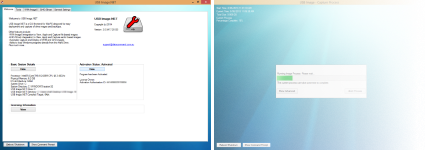 View All Screen Shots

Purchase/Download
Note: by Purchasing or Downloading the software on this site you agree to the relevant End-User License Agreement.
USB Image.NET is a paid application. A license can be obtained for individuals or businesses at a cost of $5.50 AU.
Licenses are valid either per-device or per-install, meaning that a license is required for every USB Device or Hard Drive Installation.
The license includes support and upgrades for the life of USB Image.NET.
Payment is via PayPal, for other payment methods please contact support.
Please see the below links regarding Licensing and Download.
USB Image.NET Licensing
Click below to purchase licenses.
USB Image.NET Downloads
USB WINPE Builder Tool (Updated for WINPE 10)
Full Install (32bit Installer)
Boot_USBImage Tool (32bit – ZIP file)
Full Install (64bit Installer)
Boot_USBImage Tool (64bit – ZIP File)

License
Please view the End User License Agreement by clicking the link below. By Purchasing this software you signify you agree and accept its license terms. View USB Image.NET End-User License Agreement

Guides and Support
Please see the below list of guides. They can help from everything to the basics of setting up to more advanced features.
USB Image.NET – Guide 0.0 – USB Disk Builder Tool
USB Image.NET – Guide 1.0 – WINPE 4.x – Getting Started
USB Image.NET – Guide 1.0 – WINPE 5.x – Getting Started
USB Image.NET – Guide 2.0 – WINPE 4.x – Creating a Boot USB Hard Drive
USB Image.NET – Guide 2.0 – WINPE 5.x – Creating a Boot USB Hard Drive
USB Image.NET – Guide 3.0 – Programs Folder
USB Image.NET – Guide 4.0 – License Activation
USB Image.NET – Guide 4.0 – License Activation Guide (French Translation)


